
Advanced Email Validator all-in-one
by Kitworks Systems| Odoo Apps Dependencies | contacts, crm, event, hr, hr_recruitment, mass_mailing, web |
| Community Apps Dependencies | Show |
| Technical Name | kw_email_validation_bundle |
| License | LGPL-3 |
| Website | https://kitworks.systems/ |
| Versions | 16.0 17.0 18.0 19.0 |
Why this suite
Four-stage pipeline
Regexp, DNS, SMTP and API. Configurable order with early-exit on first failure.
8 API providers
NeverBounce, ZeroBounce, Clearout, MailerCheck, Mailgun, SendPulse, MillionVerifier, QuickEmailVerification.
9 integrations
Contacts, CRM, HR, HR Recruitment, Events, Mass Mailing, plus SMTP, DNS and Web.
Rule-based priority
Each validator has a sequence. Cheap local checks first, paid APIs last. Per-domain override supported.
Visual status indicators
Color-coded badges in every list, form and kanban view. Valid (green), Invalid (red), Pending (amber).
Zero extra dependencies
Base depends only on web. Works on Community, Enterprise and Odoo.sh.
See it in action
Validation status appears next to every email address across Contacts, CRM, HR, Recruitment, Events and Mass Mailing.

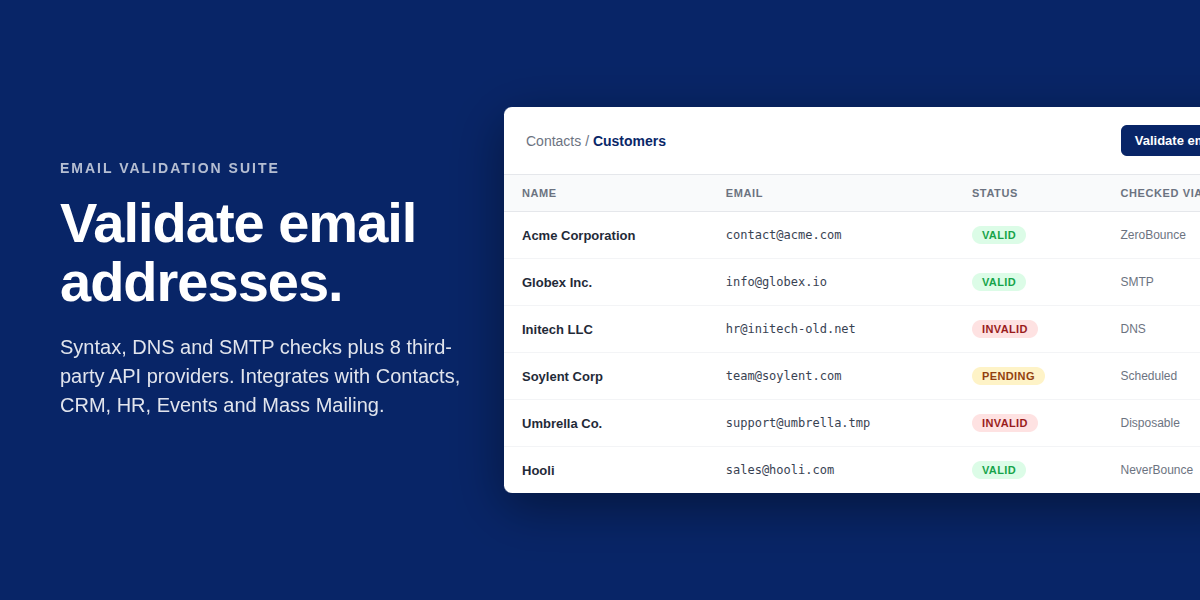
Customers list with the Validation state column showing Valid and Invalid badges per record.

Leads list — bad-email leads are flagged before they reach a salesperson.

Candidate pipeline grouped by stage with the validation status visible per applicant.

Employee directory with validated work_email addresses.

Registrations list — attendees with bad addresses surface before invitations are sent.

Mailing list contacts — clean lists cut bounces before send.

Configuration of validators — local checks and 8 API providers, all in one registry.
Documentation
How validation works
Every email address passes through a configurable pipeline. Validators run in sequence; the first one to determine the address as invalid stops the chain. Successful checks accumulate evidence until a final state is reached.
- Stage 1 — Regexp. RFC-style syntax check. Local, instant, free. Eliminates obvious typos.
- Stage 2 — DNS. MX record lookup via dnspython. Confirms the domain accepts mail.
- Stage 3 — SMTP. Connection-level handshake without sending mail. Detects mailbox existence.
- Stage 4 — API. Optional third-party verification with disposable detection, role-based detection, accept-all flagging and spam-trap analysis.
Result and reuse
Each validation run is stored and linked to the source record. Repeated checks of the same address reuse the cached result up to a configurable TTL, avoiding redundant API calls and saving cost.
Built-in validators
- Regexp. Syntax-only; no network call. First line of defence.
- DNS (dnspython). Verifies MX and A records exist for the domain.
- SMTP. Opens a connection to the recipient mail server and queries the mailbox without sending.
Third-party API providers
Eight commercial validators are supported out of the box. Configure with your API key and assign a sequence in the rule engine.
- NeverBounce — high accuracy, accept-all flagging, role-based detection.
- ZeroBounce — disposable detection, spam-trap detection, AI scoring.
- Clearout — bulk-friendly, real-time validation, deliverability scoring.
- MailerCheck — bounce prediction, MX validation, syntax check in one call.
- Mailgun — part of the Mailgun deliverability stack, suitable if you already send via Mailgun.
- SendPulse — free tier available, integrated with the SendPulse marketing suite.
- MillionVerifier — high-volume bulk verification, predictable pricing.
- QuickEmailVerification — fast single-call API, accept-all and disposable detection.
Where validation appears
Each integration adds a status badge to the relevant list view and decoration to the form view. Records are auto-validated on create and update.
- Contacts (res.partner) — email field. Visible in customer and supplier lists.
- CRM (crm.lead) — email_from field. Visible on the leads list and pipeline.
- HR (hr.employee) — work_email field. Visible in the employee directory.
- HR Recruitment (hr.applicant) — email_from field. Visible in the candidate pipeline.
- Events (event.registration) — email field. Visible in the registrations list.
- Mass Mailing (mailing.contact) — email field. Helps clean lists before send.
- SMTP — built-in validator that performs server-level handshake.
- DNS — built-in validator that resolves MX and A records.
- Web — public endpoint for single-email and bulk validation requests.
Three steps to live validation
- Install the bundle. Apps menu, search for
kw_email_validation_bundleand install. The base module and all integrations are pulled automatically. - Configure validators. Settings, Technical, Email Validation, Validators. Enter API keys for any paid provider you plan to use. SMTP and DNS work without keys.
- Set rules. Settings, Technical, Email Validation, Rules. Define the sequence in which validators run. Cheap local checks first, paid APIs last.
Existing data
Bulk-validate addresses already in the database from any list view. Select records, then Action, Validate Email. Results appear in seconds for local checks, minutes for API checks.
Frequently asked questions
Are API keys required to use the suite?
No. Regexp, DNS and SMTP checks work with no external service. API providers are optional and are typically used to add disposable, spam-trap and accept-all detection.
How are API rate limits handled?
Each validator can be assigned a per-domain rule and a sequence. Rate-limited providers are placed last in the chain so they only run when local checks pass.
Can I bulk-validate the existing contacts database?
Yes. Select records in any supported list view and run the Validate Email action. The bundle module exposes a dedicated wizard for batched runs with progress indication.
How do I add a custom validator?
Inherit the kw.email.validator model and override the validate method. The new validator becomes available in the rules engine without further configuration.
Which providers detect spam-traps?
ZeroBounce and NeverBounce explicitly mark spam-trap addresses. The others return generic invalid status without categorising the trap.
Modules in this suite
Install the bundle for the full set, or pick individual integrations.
Services
Customization
Custom validators, private API integrations, per-customer rule engines.
Migration
Upgrade between Odoo versions with preserved validation history.
Support
Installation help, debugging and live troubleshooting.
Need help?
Contact Kitworks Systems for installation help, bug reports, feature requests or custom validator integrations.
Email info@kitworks.systems