
Modules Documentation to Knowledge
by Kitworks Systems| Community Apps Dependencies | Show |
| Technical Name | kw_docs2knowledge |
| License | LGPL-3 |
| Website | https://kitworks.systems/ |
| Versions | 18.0 |
Your module documentation lives in git.
kw_docs2knowledge publishes it into your Odoo knowledge base automatically, on every update.
Documentation That Never Makes It Into Odoo
- Docs drift out of sync with the code the moment someone forgets to update them by hand.
- Knowledge is scattered across git repositories, Confluence, and shared docs – never where the user actually is.
- Manual imports have to be repeated on every release, so sooner or later they stop happening.
- New users spend their first days hunting for the right document instead of learning the module.
One Folder, One Source Of Truth
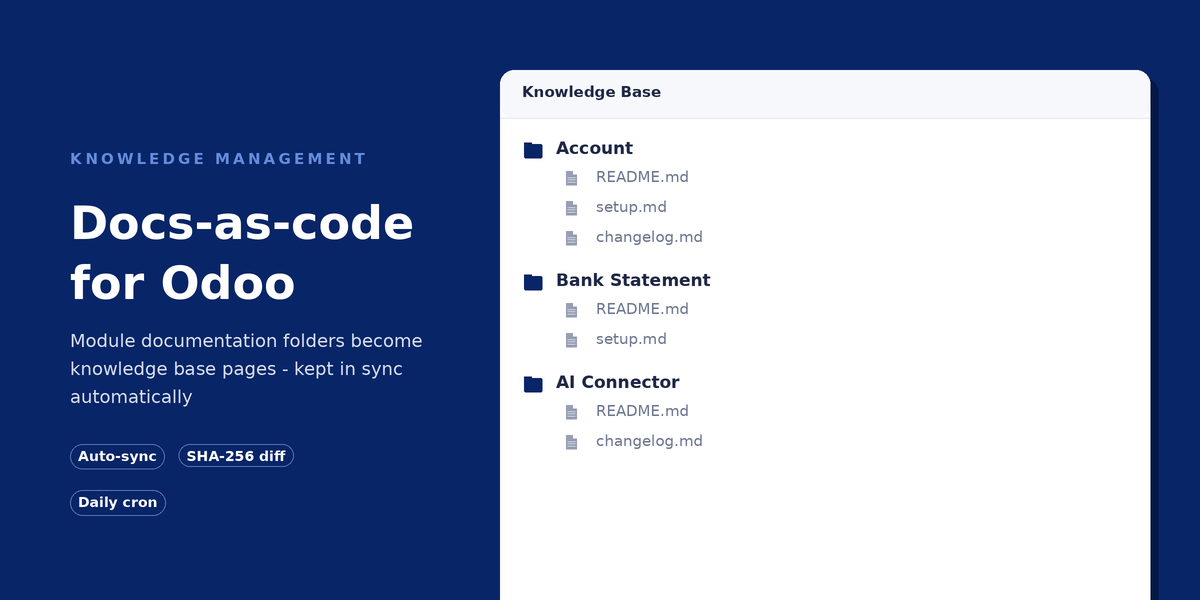
kw_docs2knowledge treats the documentation/ folder shipped inside each installed module as the single source of truth. There is nothing to configure per module and nothing to import by hand: as soon as a module ships a documentation/ folder with Markdown files, its content becomes part of the Odoo knowledge base on the next sync. Folders become categories, files become pages, and the whole tree stays a mirror of what is committed to git.

git → documentation/ → cron → knowledge base.
How It Works
documentation/**/*.md folder, committed and reviewed alongside the code.
Imported module documentation, browsable like any other knowledge base page.
Features
- Incremental by design. Each module is checked against its own version first, then each file against its checksum – a stable installation triggers no file reads at all.
- Folder structure mirrored. Subfolders become nested knowledge categories in the same order they exist on disk.
- Images and internal links resolved. Local images are uploaded as attachments, and links between
.mdfiles are rewritten to point at the matching knowledge page. - Clean uninstalls. Pages belonging to an uninstalled module, or to a file that was deleted, are removed automatically.
- Force full resync. A manual action re-imports everything, useful right after editing documentation without bumping the module version.
- Built-in safety guardrail. If a sync would remove more than half of the imported pages, it stops itself and logs a warning instead of deleting silently.
Built On OCA, Not A New Silo
kw_docs2knowledge builds directly on the OCA document_page module – there is no proprietary knowledge base and no vendor lock-in. It runs on Odoo Community Edition as well as Enterprise. Imported pages are a read-only mirror of what is on disk: editing history and page versioning are intentionally not kept for them, because the source of truth always stays in git, not in the database.
- ✓ Depends on the OCA module
document_page - ✓ Requires the Python package
markdown - ✓ Free, LGPL-3
Get Started
kw_docs2knowledge is part of the KitWorks Systems module portfolio. Visit our site for the rest of our Odoo modules, or reach out with questions.
Visit kitworks.systems Contact UsFree · LGPL-3 · Odoo 18.0