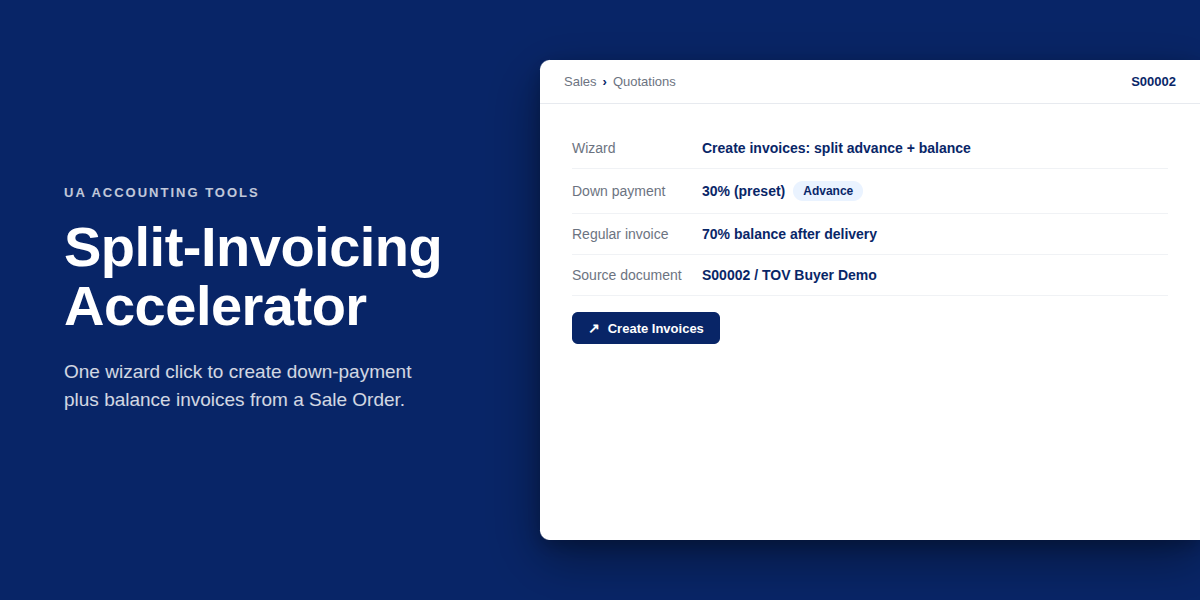

Split-Invoicing Accelerator
by Kitworks Systems| Odoo Apps Dependencies | account, sale |
| Technical Name | kw_invoice_preset |
| License | OPL-1 |
| Website | https://kitworks.systems/ |
| Versions | 13.0 14.0 15.0 16.0 17.0 18.0 19.0 |
Invoice preset — one-click multi-stage invoicing
Define reusable preset templates for split invoicing of a Sale Order, then trigger them with one click. Replaces manual repeated runs of the standard "Create invoices" wizard. Useful for B2B deals with down payments, milestone invoicing or fixed deposit + balance scenarios.
Preset templates
Define once: down-payment percentage, fixed deposit, regular invoice. Reuse on any Sale Order with a single click.
Wraps the standard wizard
Internally calls Odoo's sale.advance.payment.inv wizard once per preset line in the order fixed → percentage → delivered.
Validated lines
Constraints: only one regular-invoice line per preset; sum of percentages cannot exceed 100; fixed-amount totals cannot exceed the order total.
SO action binding
Trigger from the standard Action menu of the Sale Order form — pick a preset, the wizard generates all invoices in sequence.

Invoice preset wizard — pick a preset, generate the full invoicing sequence on the Sale Order in one shot.
How it works
- Configure presets in Accounting → Configuration → Invoice preset. Each preset has multiple lines: fixed amount, percentage, or regular invoice.
- Apply on a Sale Order via the Action menu. The wizard runs the standard Odoo "Create invoices" flow once per preset line, in deterministic order.
- Not a payment-terms or journal config. Presets aggregate the standard advance-payment wizard — they do not modify
account.payment.termor invoice journals.
Part of the Ukrainian Accounting Suite
Combine with the Ukrainian printable-document modules for a complete sales-to-invoice workflow.
See it before you buy
Book a live demo and we will walk you through preset configuration and one-click invoicing on a real Sale Order.
Book a live demo